Energy cost
What the energy cost card shows
The energy cost card shows what heating your water has cost over the last seven days, day by day. Find it on the dashboard carousel: swipe to it, or wait for the carousel to bring it round.
The card at a glance
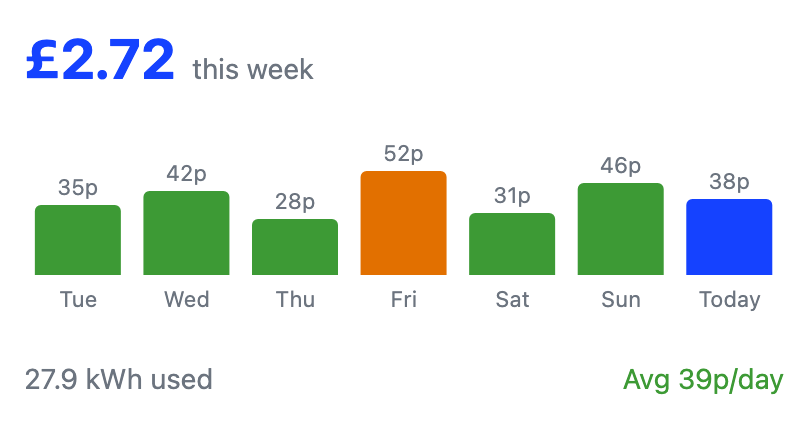
The card stacks three parts, top to bottom:
- The headline. The week's total cost.
- The bar chart. One bar for each of the last seven days.
- The totals. The energy used in kWh and the average cost per day.
The rest of this page explains each part.
How your weekly cost is worked out
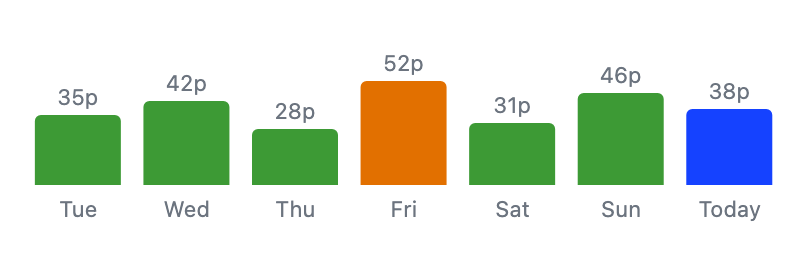
The card adds up each day's cost over the last seven days. The calculation uses two inputs:
- Energy use. How much energy the device used, measured or estimated (see below).
- Tariff rates. The rates you entered in tariff setup.
Each bar's height is that day's cost, with the amount above it. Today's bar is always last and highlighted. The most expensive completed day shows in amber.
Costs show in your account's currency.
How your energy cost is calculated
Your cost is the device's energy use multiplied by your tariff rates. The energy figure comes from the best source your install has.
- A device energy meter. If your install has one, the app uses its measured energy. This is the most accurate figure for the device.
- Sampled power. Without a device energy meter, the app estimates energy from the device's power. It samples the power often and adds it up over time. Energy is power multiplied by time, so frequent samples give a close approximation.
Either way, this is an estimate for the device alone, not your bill. Your bill comes from your supplier's billing meter, which measures your whole home. Use the card to track the device's running cost and how it changes, not to check your bill to the penny.
When the card shows no data or zero cost
The card needs both readings and a tariff before it can show costs.
If no readings have arrived this week, the card says there is no cost data. If every day shows zero cost while the device is running, the usual cause is a missing tariff. Without rates, no cost can be calculated.
Set up your tariff from the More menu and the card fills in as new readings arrive.
Frequently asked questions
Why does every day show zero cost?
Cost is energy use multiplied by your tariff rates, plus the standing charge. With no tariff set up, the cost comes out as zero even though energy was used. Add your tariff from the More menu.
Why is one bar a different colour?
The amber bar is the most expensive completed day this week. Today's bar always uses the highlight colour, even if it ends up the most expensive.
Is this my whole home's cost?
No. The card estimates the cost of this device only, from its own energy use. Your bill covers your whole home and comes from your supplier's billing meter. A smart meter connection is planned for a later release.